
Debt notifications
AUTOMATIC DEBT NOTIFICATION
To set up debt notifications, go to the Invoices module > Settings > Debt Notifications.
- Select Automatic Debt Notification – Yes
- In the First dept notification delay field, enter the number of days an invoice must be overdue and unpaid before the first debt notification is sent.
- The Recurring notification Frequency field can be left empty if you do not wish to send repeated notifications. If you do, enter the number of days after the first notification when the follow-up reminder should be sent.
- Notifications will continue until the invoice is marked as paid in Hausing.
MANUAL DEBT NOTIFICATION
To manually send debt notifications:
- Go to the Invoices module and select the company under which you want to operate.
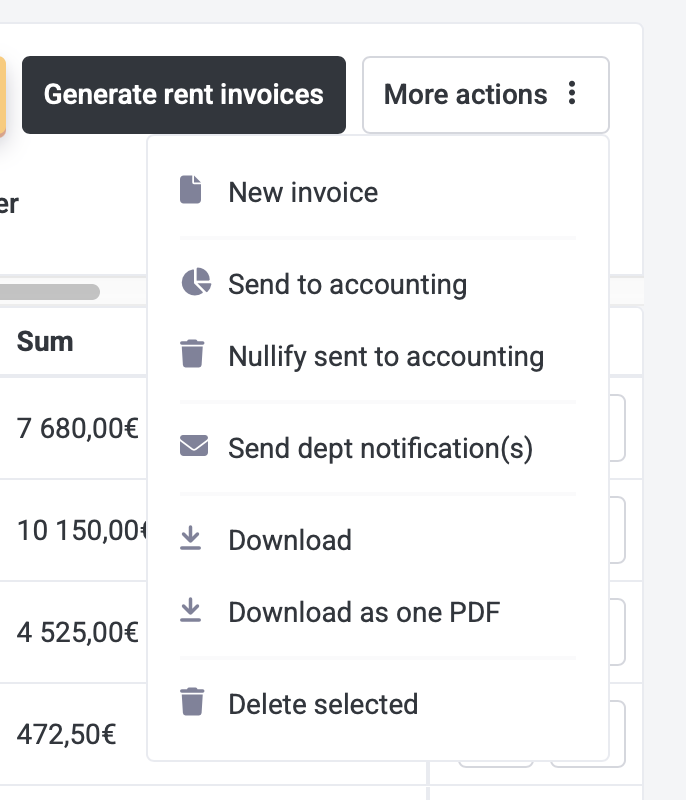
- Select the invoices for which you want to send a debt notification.
- Click More Actions > Send sebt Notification(s), review the selected invoices, and click Confirm.