
How to end/extend a lease agreement?
To perform actions related to lease agreements, go to the "Leases" module and select the building where you want to open the agreement.
TERMINATING OR EXTENDING A LEASE AGREEMENT
- Open the lease and click "Edit"
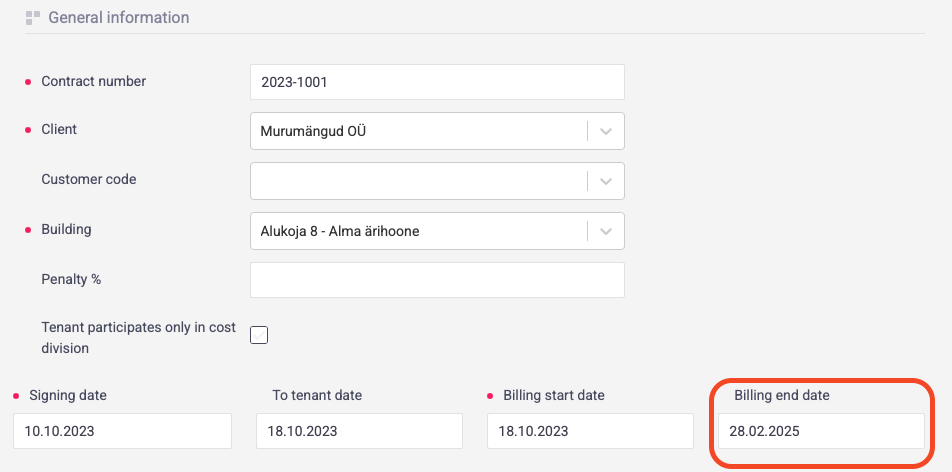
- If you want to end/extend the entire agreement, including all rental rooms, change the date in the "Billing end date" field at the top of the agreement.
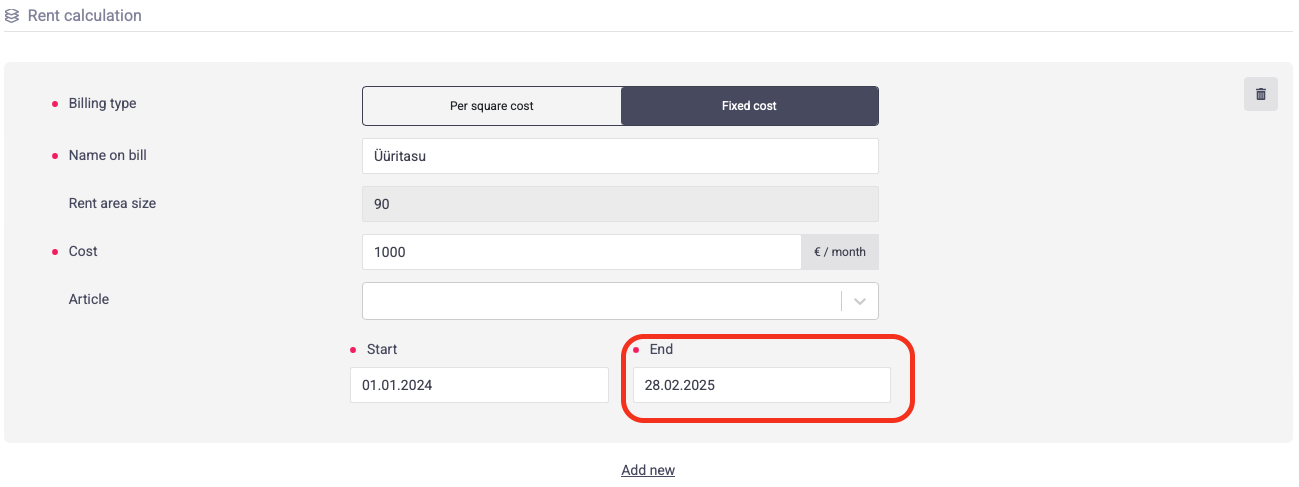
- Check the dates of rental spaces, open the room from pencil icon in Rooms section and verify the end date of the rooms's latest pricing rule and click "Save".
- If you want to terminate only a specific room, open that room using the pencil icon and change the unit's end date.
- Save the whole agreement.