
Feedback survey
The functionality can be used by all Hausing clients, regardless of whether their tenants/customers submit tasks through their portal or by email.
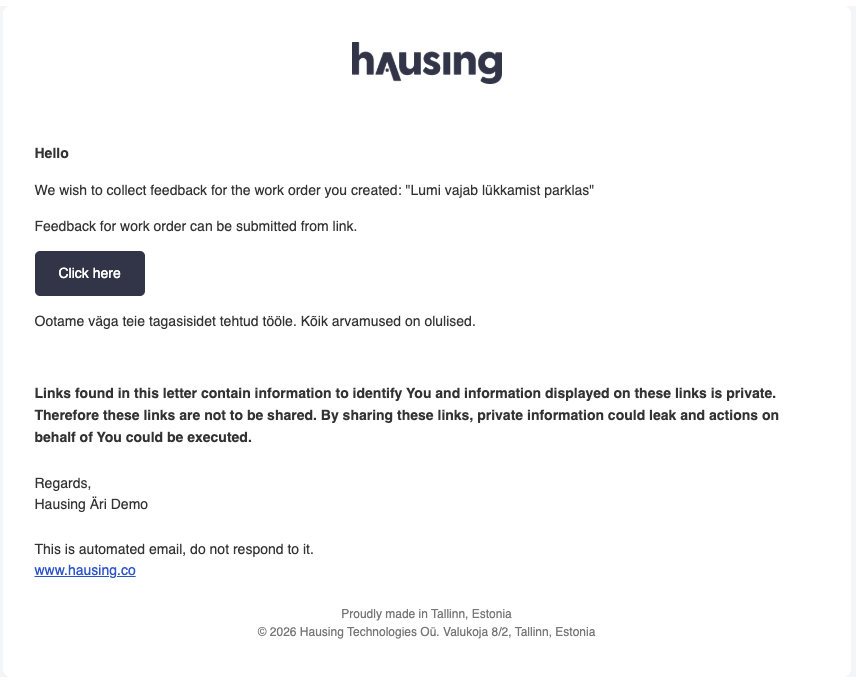
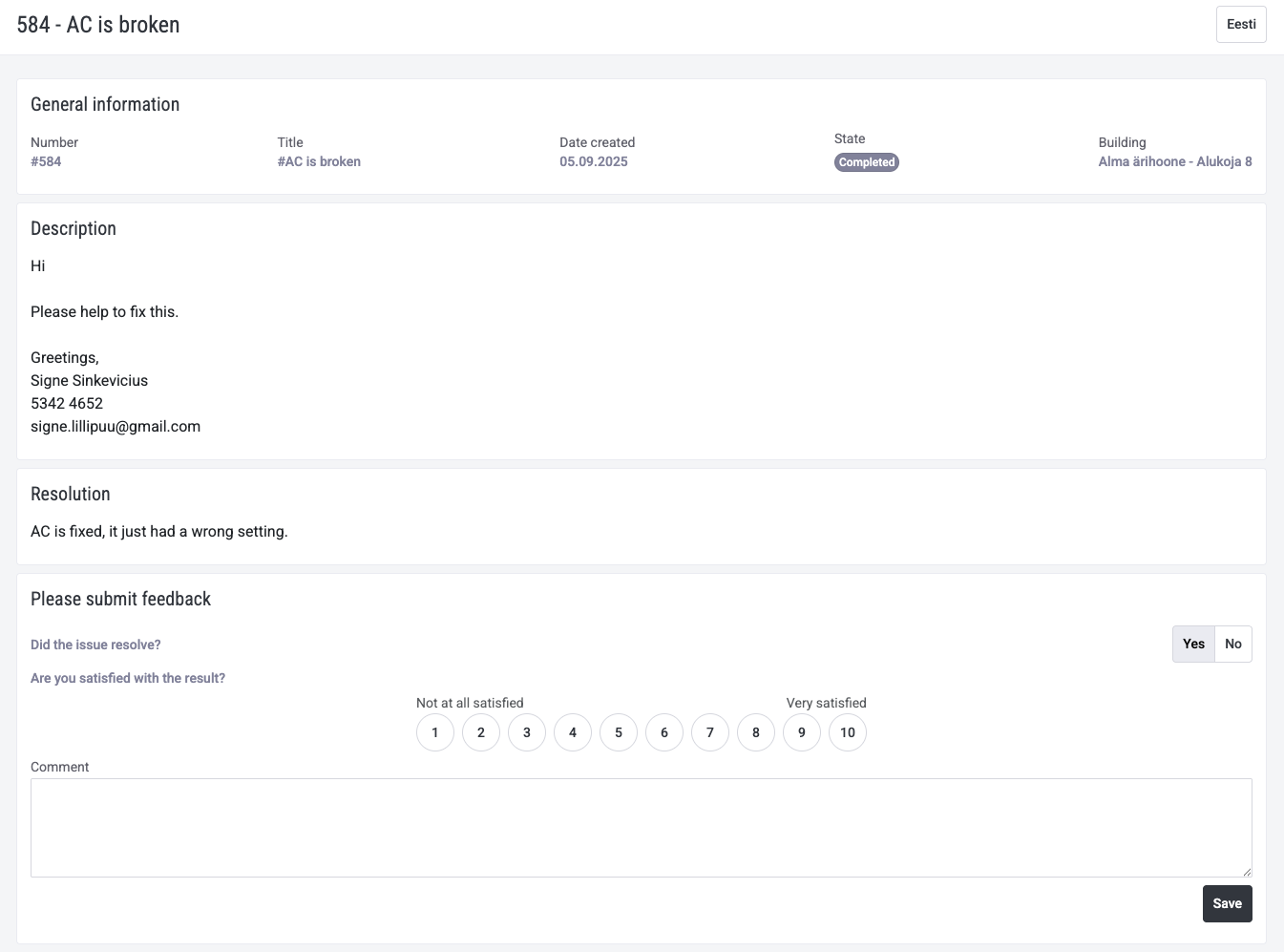
- When the task performer (internal or external) marks the task as completed, the task always moves to In review status. At that moment, an email is sent to the client requesting feedback. The client can access the task via a link where they can confirm whether the task is completed, add a rating, and leave a comment.
- The task moves automatically to in review status only if it has been submitted by the tenant, either through their portal or via email. If the task has been completed by an internal Hausing user, the job is always marked as Completed, and no feedback is requested from the internal user.
- The rating section does not have to be displayed; it is also possible to use only the question: “Was the problem resolved?” with a yes/no answer.
This is the email sent to the client. The comment that appears under the “Click here” button can be added and modified, or not used at all.
When the button is clicked, this is the view for those who have submitted their work via email:
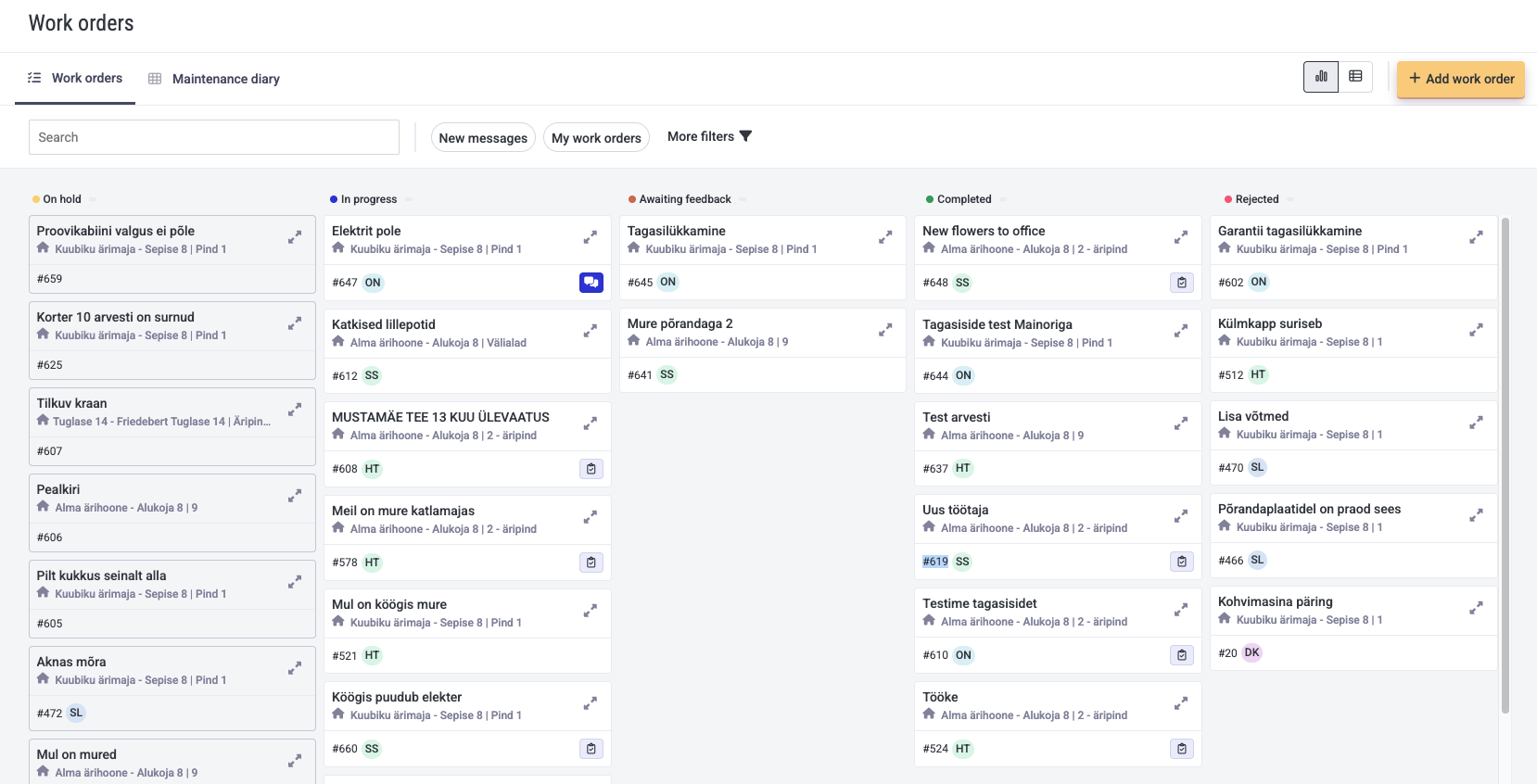
This is the view for a client who uses the tenant portal. First, they will see in the column “Waiting for feedback” all tasks that require a feedback/rating:
Then, by opening one of these tasks, the following view will open:
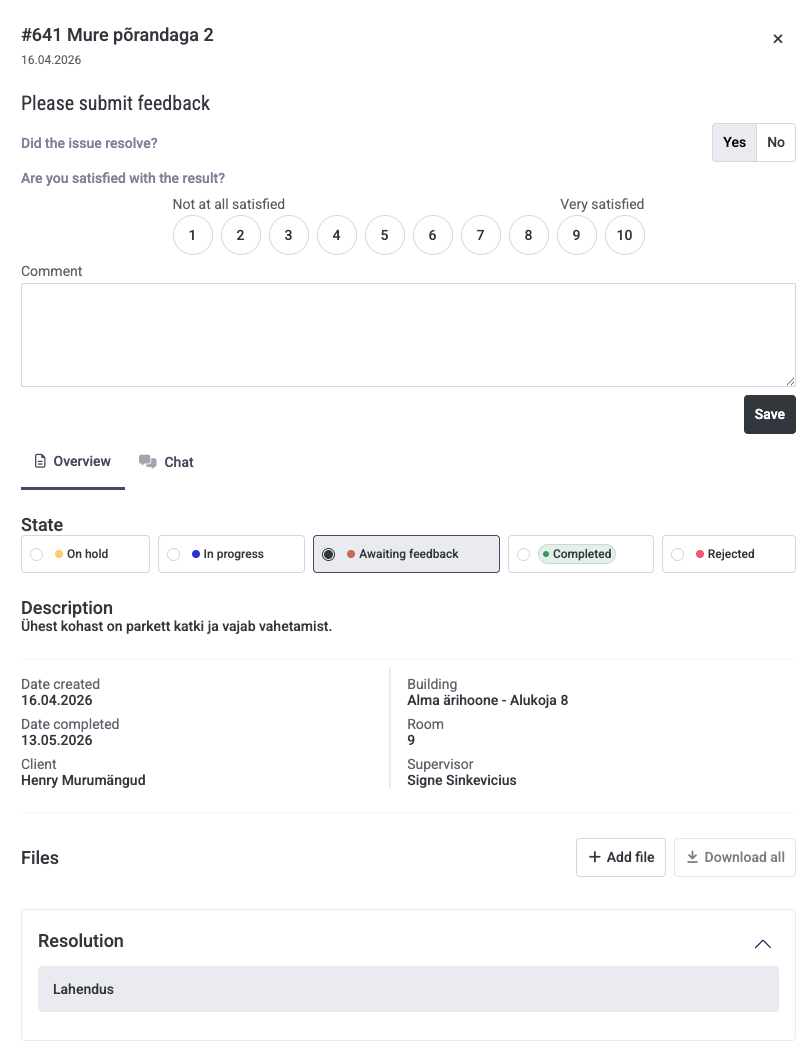
- The client/tenant has two options for the question “Was the problem resolved?”
- If they answer Yes, the task automatically moves to completed status.
- If they answer No, adding a comment is mandatory, and then the Hausing user receives a notification email that unsatisfactory feedback has been submitted.
- Later, if you mark the task status as in progress, pending approval etc., and the work is done again and marked back to in review status, the tenant/client will receive the feedback survey email again and can respond once more.
- You can also configure the interval for sending reminders, e.g., if the client hasn’t provided feedback within X days, a new email is automatically sent.
- Automation can also be set up to close the task if the client hasn’t given feedback within X number of days.
- Initially, feedback comments and ratings will be visible in the Excel export.
The functionality is activated the first time by a Hausing employee. After that, a configuration option becomes available in the work orders menu under settings:
- Enable feedback requests
- Enable rating in the survey
- Optionally add your own text to the notification
- Set the reminder and feedback expiration interval
To activate this feature, write to help@hausing.co